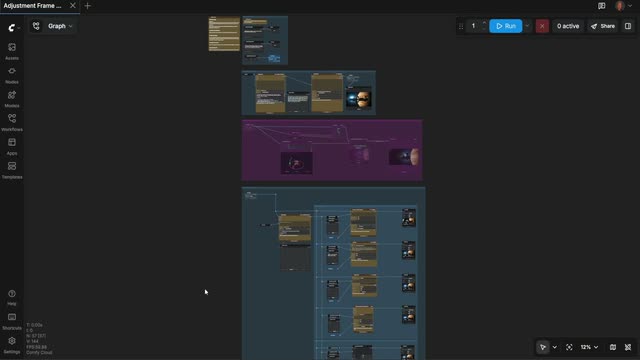
The Adjustment Frame Workflow is a director-style pipeline for turning a written shot idea into multiple polished video takes you can compare side-by-side. It stages your work like a real set: first you block the shot as a still, then you refine the camera, and finally you roll multiple takes across different model backends. A Text Multiline node captures your prompt (what the image is and the action you want), and the 1A) GENERATE SHOT STILL group produces a reference frame you can review with PreviewImage/PreviewAny before spending any credits.
Next, the 1B) CONTROL CAMERA ANGLE group routes your shot through QwenMultiangleCameraNode to generate camera-aware variations (e.g., wide vs. close-up, low vs. high angle, focal length cues). Utility nodes like RegexExtract and ComfyMathExpression help parse camera directions from your text and normalize values like duration, fps, or resolution. In 2) GENERATE VIDEO(S), you can send the approved composition to one or more API partners—GrokVideoNode, KlingVideoNode, and GeminiNode—optionally anchoring identity or style via ByteDance2ReferenceNode. Image Resize ensures each model receives a compatible resolution, PreviewAny lets you compare takes interactively, and SaveVideo writes out the best result. SetNode/GetNode pass key parameters between groups so your shot intent, camera notes, and timing remain consistent. This workflow is especially useful because you only “roll” once you like the frame and angle—preventing credit waste while getting clear, comparable outputs from top models.
API
Use this workflow from code
Every Comfy workflow is a JSON graph. The payload below is this workflow, exactly as ComfyUI runs it — fetch it from the URL, keep it in version control, or load it in ComfyUI and run it node by node.
Run it from TypeScript or Python with the Comfy SDK. The same code targets Comfy Cloud or a ComfyUI you host yourself — only the base URL changes.
// Install (beta)
npm i @comfyorg/sdk

// Run this workflow (TypeScript)
import { Comfy } from "@comfyorg/sdk";

const client = new Comfy({ apiKey: "comfyui-..." });
const wf = await client.workflows.fromFile("workflow_api.json");
const job = await client.run(wf);
await job.getOutputs("<output-node-id>")[0].toFile("output.png");
The SDK takes a workflow in API format: open this workflow in ComfyUI and use File → Export Workflow (API).
Comfy Cloud API access requires a plan with an API key.
FAQ













